Video To GIF Converter
A modern, browser-based tool for converting video clips to GIF animations
View the Project on GitHub dylansallred/Video-To-Gif-Converter
Video To GIF Converter
A single-file, browser-based video to GIF editor. It runs entirely locally in the browser, works offline after the page is loaded, and does not upload videos to a server. The app is built with vanilla HTML, CSS, JavaScript, Canvas, and an embedded GIF encoder.
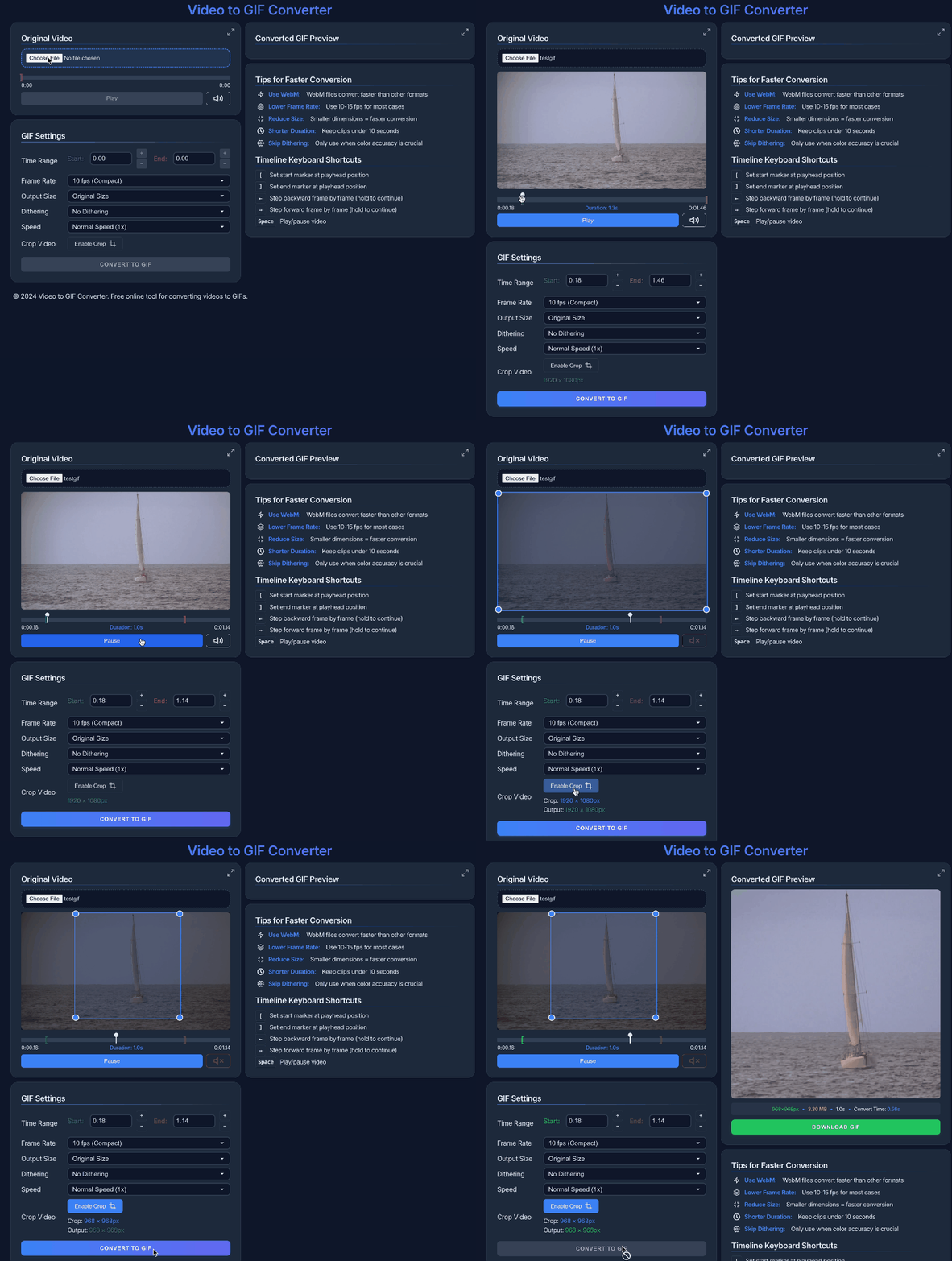
The GIF above was created using this tool.
Live Demo
Open Video To GIF Converter.
Features
Local Video Workflow
- Load local MP4, WebM, OGG, and MOV video files
- Drag-and-drop or browse with a custom file picker
- Preview video locally without server uploads
- Audio mute toggle with persistent setting
- Fullscreen preview controls with Escape-to-close support
- Responsive layout for desktop and mobile screens
Timeline And Trimming
- Draggable start/end markers with a highlighted selected range
- Playhead scrubbing with a visible handle and time feedback
- Time inputs with stepper controls for precise start/end values
- Timeline zoom that can focus on the selected range
- Frame stepping based on the selected GIF frame interval
- Shortcut support for setting markers, stepping frames, nudging time, playback, and adding sequence frames
Frame Sequence Mode
- Switch between standard Range mode and Frame Sequence mode
- Add the current video frame to a custom sequence
- Preview sequence timing before rendering the final GIF
- Click saved sequence frames to jump back to their source time
- Duplicate, delete, and reorder sequence frames
- Edit per-frame delays for custom stop-motion-style GIFs
- Timeline marks show where saved sequence frames came from
GIF Export Settings
- Frame Rate: 5, 10, 15, 24, or 30 fps
- Output Size: 20% through 100% of the source dimensions
- Dithering: No Dithering, Floyd-Steinberg, Light Dithering, Stucki, Atkinson, and Floyd-Steinberg Serpentine
- Color Quality: High detail, Balanced, Compact, or Fast preview
- Looping: Repeat forever or play once
- Palette Mode: Per-frame palette or global palette
- Speed: Slow down to 0.25x or speed up to 5x in Range mode
- Estimated output details for dimensions, FPS, frame count, duration, and performance warnings
Cropping And Image Tuning
- Interactive crop rectangle with visible corner handles
- Crop region is constrained to the actual video frame
- Crop dimensions update live as the crop changes
- Fine-tune image adjustments for sharpness, brightness, contrast, saturation, and warmth
- Reset image adjustments with a compact animated control
- Timecode overlay option for review/export workflows
Conversion Feedback
- Real-time progress overlay while rendering
- Frame-by-frame progress details
- Cancelable conversion
- GIF preview and download after rendering
- Tips panel with file-size and conversion-speed guidance
Keyboard Shortcuts
| Shortcut | Action |
|---|---|
Space |
Play or pause the video |
[ |
Set the start marker to the playhead |
] |
Set the end marker to the playhead |
← / → |
Step backward or forward by the selected frame interval |
Shift + ← / → |
Jump backward or forward by 1 second |
Alt + ← / → |
Nudge backward or forward by 0.01 seconds |
A |
Add the current frame to the frame sequence |
Esc |
Close fullscreen or open overlays |
Enter / Space on picker |
Browse for a video |
Usage
- Load a video
- Drag a local video onto the picker or click Browse.
- The app reads the file locally and shows video metadata.
- Choose a workflow
- Use Range mode for a continuous clip.
- Use Frame Sequence mode to build a GIF from selected non-contiguous frames.
- Set timing
- Drag the timeline markers, scrub the playhead, use shortcuts, or enter exact start/end values.
- Use timeline zoom when you want to focus on a selected range.
- Configure output
- Pick FPS, output size, dithering, color quality, palette mode, loop behavior, and speed.
- Enable crop or timecode if needed.
- Open Tune Image for brightness, contrast, saturation, warmth, and sharpness adjustments.
- Convert and download
- Click Convert to GIF.
- Preview the rendered GIF.
- Download the final file when it looks right.
Performance Tips
- Keep clips short when possible.
- Use 10-15 fps for most GIFs.
- Reduce output size before increasing compression.
- Crop out unused pixels.
- Skip image adjustments when you do not need them.
- Use compact or fast quality settings for quick previews.
- Use Frame Sequence mode when you only need selected moments instead of a continuous clip.
Technical Details
- Single HTML file application
- Vanilla JavaScript, HTML5 video, and Canvas
- Embedded GIF encoding with Web Workers
- Local-only processing with no server dependency
- Settings persisted with
localStorage - No build step required
Browser Compatibility
- Chrome and Edge are recommended
- Firefox and Safari should work with supported local video formats
- Browser codec support determines which video files can be previewed
Development
- Clone the repository.
-
Serve the folder locally, for example:
python3 -m http.server 8000 - Open
http://localhost:8000/Video-To-Gif-Converter.html.
The app is intentionally kept as one standalone HTML file.
License
MIT License - feel free to use and modify as needed.
Credits
- Uses gif.js for GIF encoding
- SVG icons are inline and based on open icon styles such as Feather/Lucide